

Your shortlist, and confirming a booking
The shortlist is the quote. Everything on it is real.
When we have found options for your enquiry, your enquiry page moves to Quote ready and you get a shortlist. Every property on it has been checked as free for your dates, and every price on it is a firm all-in figure for the whole stay rather than an estimate. Nothing on the shortlist is a placeholder.
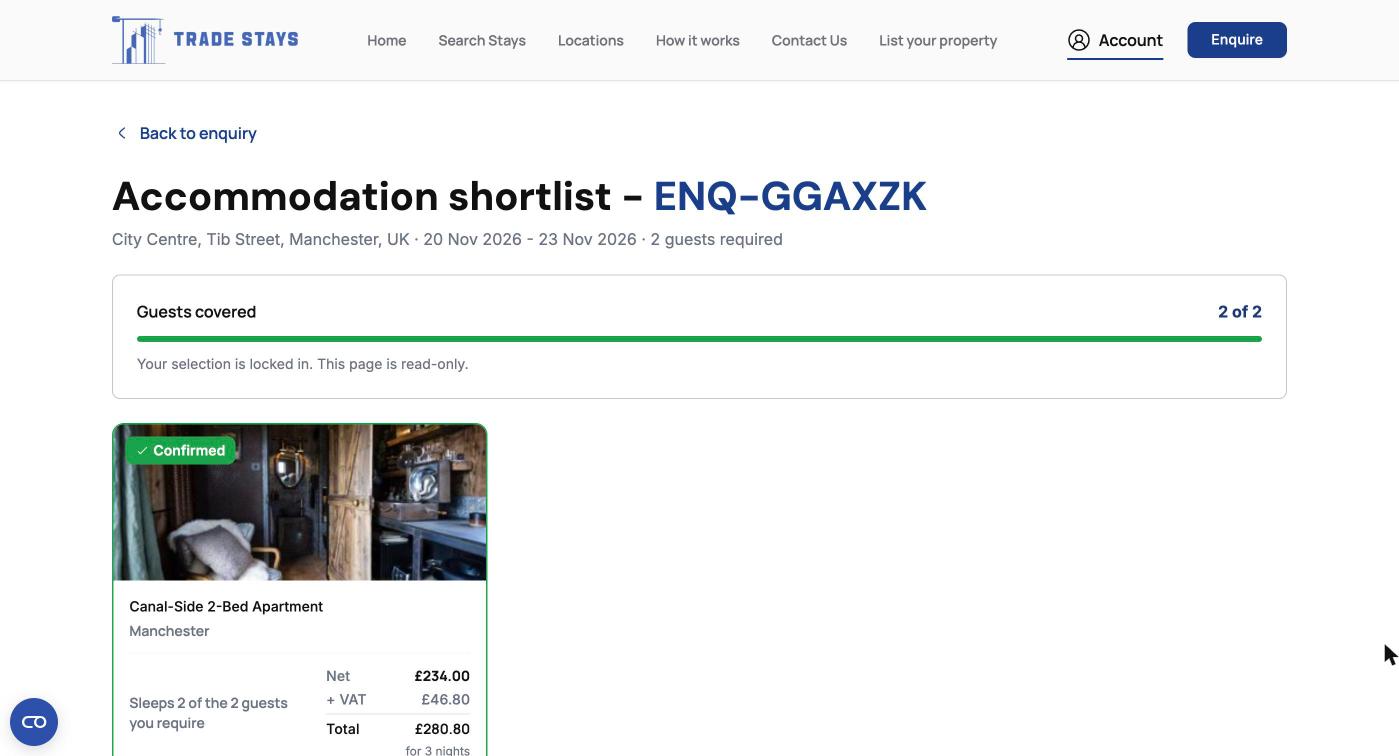
Reading the shortlist
Covering a team across more than one property
A shortlist is built around housing a number of people, not around picking one house. Where a crew is too big for any single property, or where people need their own rooms, select two or three properties and the counter adds up the cover until everyone is placed.
What that gives you is one booking rather than three. One confirmation, one account manager, one cancellation position, and the properties in a city billed together. The individual owners never deal with you and never need to.
If the cover does not add up. The counter will tell you before you confirm. Rather than forcing a property you do not want, say what is left over and we will add an option to the shortlist for the remainder.
Confirming
When your selection covers the team, move on to review and confirm. Before anything is committed you are shown a single screen with the whole booking on it: the properties, the dates and nights, how many people each one covers, the cancellation deadline as a date and time, and the net, VAT and total.
There is a tickbox for our terms and the cancellation policy shown above it, and the confirm button does nothing until it is ticked. That is the point of commitment, and the screen before it is the last chance to read everything. If something on it is not what you discussed with your account manager, stop there and ring them.
What happens the moment you confirm
| Paying for the booking | Booking on an account with us | |
|---|---|---|
| What confirming does | Creates the booking and takes you to our secure checkout. | Creates the booking and sends it to your account manager to finalise. |
| What you pay then | The total shown, by card or by bank transfer. | Nothing at that point. |
| When the booking is confirmed | Once your payment reaches us. | Once your account manager completes it with you. |
| What you see on your enquiry | Accepted, awaiting payment. | Awaiting confirmation. |
| What to do next | Settle the invoice. Until it is paid the booking is not yet confirmed and the address is not released. | Nothing. Your account manager comes to you, and we invoice on your agreed terms. |
Awaiting confirmation does not mean something has gone wrong. On an account booking it is the normal next step: the booking is with us, we are holding the properties, and a person is completing it. If you have not heard anything by the next working day, ring your account manager rather than confirming again.
Frequently Asked Questions
Yes. Select the ones you want. The rest simply go unselected, and there is nothing to decline or explain.
Shortlist in front of you and not sure?
Your account manager would rather talk it through than have you confirm something that does not fit.